 Overview Overview
When I was ten years old, my best friend and I worked out a way to play
the board game Sorry! over the telephone. We each had our own copy
of the game and had numbered the squares around the board to help keep
track of each other’s pieces, trusting that the other person wouldn’t
cheat. It was a great way to spend a rainy afternoon at home in the era
before personal computers were common. Hasbro Interactive has finally come
out with a computer version that does pretty much the same thing, only
with neat graphics, cool sound effects, up to four players and without the
possibility of cheating.
Gameplay, Controls, Interface
In the updated version for the PC, Hasbro has added personality to the
pawns, complete with voices and animations. They have included several
different ways to play the game, all of which include the option to play
over the Internet. The traditional rules are taken straight from the board
game (and I am going to make the assumption that nearly everyone has
played this game at one point or another) and can be played against either
the computer or human opponents in either teams or individually. Way
Sorry! is a new way to play the game with additional cards, and is a good
deal more cutthroat. There are five new cards included with these rules:
Buddy allows you to move a pawn to a square next to the nearest pawn in
either direction, Bully switches places with the nearest opponent in
either direction and bumps it back to Start, Punish prevents any pawn from
moving for one turn, Happy protects one pawn from attacks for a turn, and
Way Sorry! is essentially the same as the Sorry! card, only the player
moves all his or her pawns from Start instead of just one, switching them
with the opponents’ pawns on the playing board and knocking them back to
Start.
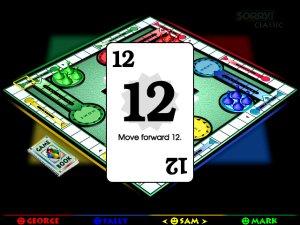 Both rules also allow for
Strategy play, dealing the players five cards at a time. The cards can
then be played in whatever order the player chooses (for example, one of
my favorite things to do was to play a 2 card which would break a pawn out
of Start followed by a Back 4 card which would set me just a few spaces
from Home). Both rules also allow for
Strategy play, dealing the players five cards at a time. The cards can
then be played in whatever order the player chooses (for example, one of
my favorite things to do was to play a 2 card which would break a pawn out
of Start followed by a Back 4 card which would set me just a few spaces
from Home).
Graphics
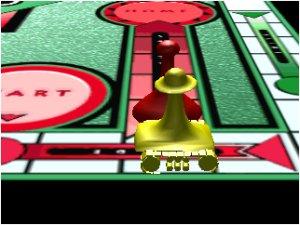
The graphics and animation in Sorry! are quite fun, at least in
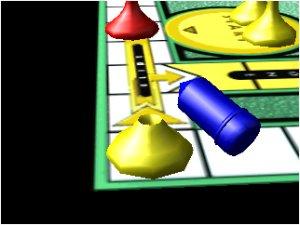
the beginning. The pawns have a variety of ways to move around the board;
scooting, rolling, bouncing and drilling their way Home. The game allows
you to see these moves either in close-up animation shots or from the
standard board view. After two games I shut off the option for the
close-up shots; they took more time and really dragged down the speed of
gameplay.
Audio
The pawns quip at each other as gameplay ensues, taunting the other
pieces and grumbling when things aren’t going their way. This was also an
option I turned off after several games, as I found the voiceovers
becoming repetitious and they began to wear on my nerves. Until that
point, though, I did enjoy them and even found some of the barbs lobbed at
the other pawns to be quite funny. Fortunately, the dialogue can be shut
off. The other sounds are nothing fancy, just the shuffling of cards and
some simple sound effects to accompany the pawn animations.
 System Requirements System Requirements
Minimum: P100 or higher, Win95, 16 MB RAM, 50 MB hard drive
space, 4X CD-ROM drive, 1 MB SVGA video card, SoundBlaster compatible
sound card
Recommended: P150 or higher, 2 MB SVGA card, 28.8
baud modem
Documentation
The documentation is exceptionally thorough, listing all the various
rules and cards and explaining the basic moves of the game. Even if you’ve
never played the board game Sorry!, you should have no trouble
figuring out the gameplay from the instructions included.
Bottom Line
I really enjoyed this game and spent many happy hours playing against
the computer, my husband, and complete strangers out on the Internet. It’s
a wonderful extension of the classic game.
Review Posted On 4 August 1998.
Ultimate
Yahtzee Review |






